> ## Documentation Index
> Fetch the complete documentation index at: https://ophel.app/docs/llms.txt
> Use this file to discover all available pages before exploring further.
# 编写站点拓展
> 用站点适配设置向导或 JSON 创建声明式站点拓展,完成校验,并贡献到 Ophel registry。
站点拓展是声明式 JSON 清单。它描述 Ophel 可在何处运行、哪些页面元素代表对话角色,以及哪些能力可以安全暴露。它不能执行 JavaScript,也不能加载远程代码。
可以从以下任一路径开始:
1. 产品内的 **站点适配设置**
2. 仓库示例 [`registry/examples/site-pack.example.json`](https://github.com/urzeye/ophel/blob/main/registry/examples/site-pack.example.json)
本指南以已发布的 [Duck.ai](https://github.com/urzeye/ophel/blob/main/registry/sites/duck-ai.json) 站点拓展与当前运行时校验器为准。
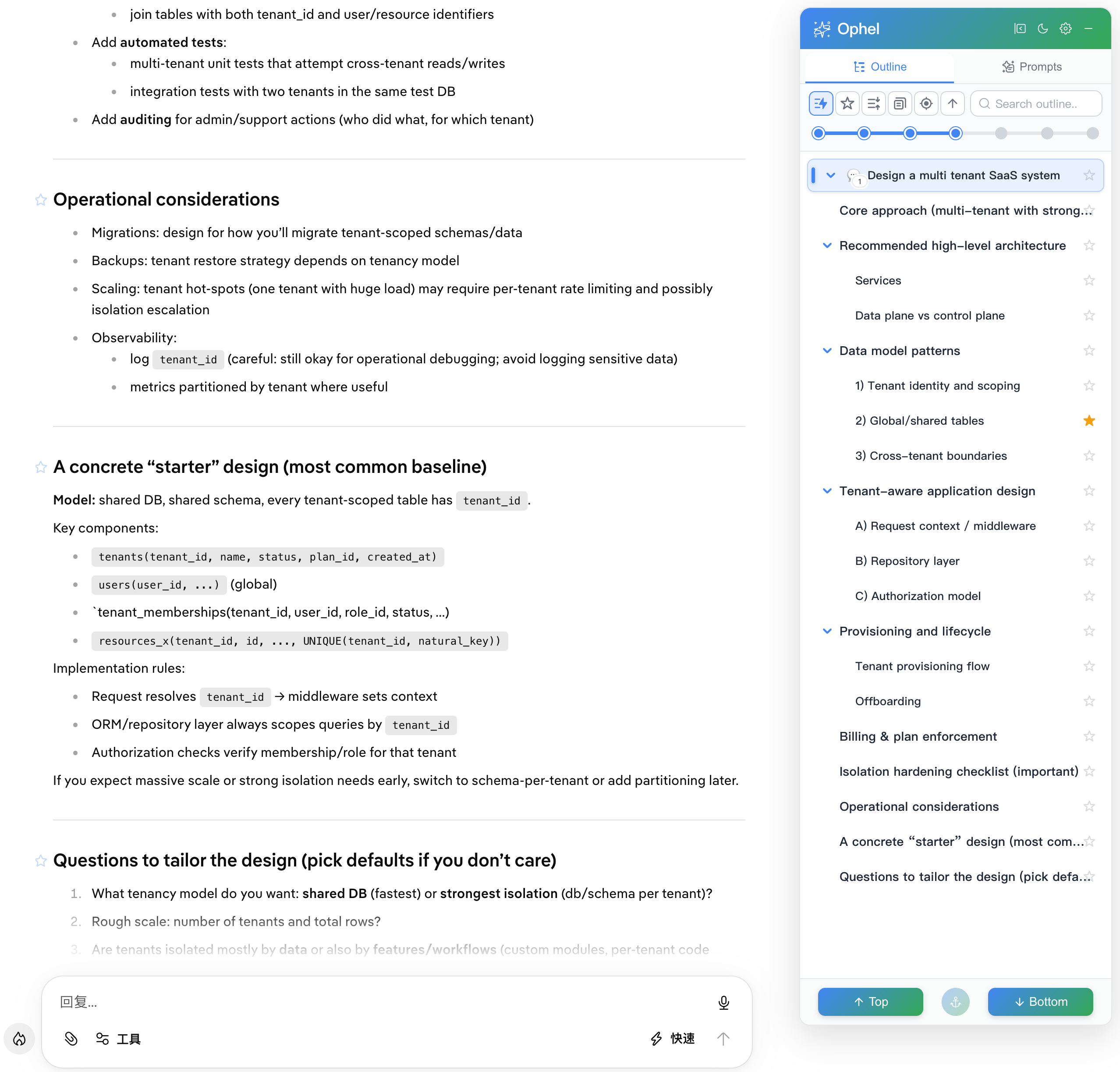 ## 路径 A:站点适配设置
在未支持的 HTTPS 页面上,打开向导入口(**为此站点创建适配**)。
向导会依次引导:
1. 消息输入框
2. 发送按钮
3. 会话容器
4. 用户消息
5. AI 回复
6. 可选的会话列表项
7. 可选的新对话按钮
8. 实时大纲预览与能力摘要
9. 保存 / 下载 / 打开预填的 GitHub 贡献流程
当前产品中已落地的向导行为:
* 可在页面上点选元素,也可手动编辑选择器
* 可选 AI 选择器草稿助手,只有在你主动复制时才会生成净化后的提示词
* 本地保存要求 HTTPS
* 保存时可能请求主机权限;拒绝后已保存站点拓展会保持禁用
* 本地保存成功后需要刷新页面,让适配器模块从干净生命周期启动
向导只是起草工具。发布前请复查每个选择器与能力。
## 路径 B:手写 JSON
把示例站点拓展复制到 `registry/sites/.json`,或从向导导出本地草稿。
**不要** 在清单内加入 `$schema` 属性。仓库会在外部把 Site Pack JSON 映射到编辑器 schema,而运行时会拒绝未知键。
### 身份与兼容性
```json theme={}
{
"schemaVersion": 1,
"id": "duck-ai",
"version": 1,
"minAppVersion": "1.1.8"
}
```
| 字段 | 规则 |
| --------------- | -------------------------------------- |
| `schemaVersion` | 当前为 `1` |
| `id` | 全局唯一,`^[a-z0-9-]{2,40}$`,不能与内置站点 ID 冲突 |
| `version` | 正整数。已发布 registry 版本不可变;发布构建可按内容派生最终版本号 |
| `minAppVersion` | 最早理解并验证过这些字段的 Ophel SemVer |
### 名称与描述
```json theme={}
{
"name": "Duck.ai",
"nameI18n": { "en": "Duck.ai", "zh-CN": "Duck.ai" },
"description": "Adds Ophel outlines, export, generation controls, layout tools, and prompt insertion to Duck.ai.",
"descriptionI18n": {
"en": "Adds Ophel outlines, export, generation controls, layout tools, and prompt insertion to Duck.ai."
}
}
```
`name` / `description` 是回退文本。`nameI18n` / `descriptionI18n` 会按匹配语言覆盖它们。更改用户可见元数据的 registry 贡献,应提供 Ophel 使用的全部 11 种语言。
### 匹配目标站点
```json theme={}
{
"matches": ["https://duck.ai/*"]
}
```
规则:
* 最多 10 条 HTTPS 扩展 match 模式
* 禁止全局匹配与顶层主机通配
* 禁止与内置站点或现有站点拓展重叠
* 自托管站点拓展可使用 `matches: []`,仅在用户绑定精确 HTTPS 源后激活
### 诚实声明能力
```json theme={}
{
"capabilities": [
"outline",
"outline-user-queries",
"export-basic",
"generation-detect",
"new-chat",
"stop-generation",
"width",
"zen",
"prompt-insert"
]
}
```
每项能力都需要配套字段。详见[能力参考](/docs/zh/enhancements/site-extensions/capabilities)。未验证的功能请省略。
### 选择对话元素
```json theme={}
{
"selectors": {
"textarea": ["textarea[name='user-prompt']"],
"submitButton": ["[data-testid='duckai-chat-input'] button[type='submit']"],
"responseContainer": "section:has([data-testid='duckai-chat-input'])",
"userQuery": "[data-testid='user-message']",
"assistantResponse": "[data-activeresponse='true'] > :nth-child(2)",
"newChatButton": ["[data-testid='duckai-sidebar'] > div > div:has([role='search']) + div button[type='button']"],
"stopButton": ["[data-testid='duckai-chat-input'] div:has(> button[type='submit']) + div > button[type='button']"]
}
}
```
选择器建议:
* 优先使用稳定的 `data-testid`、稳定 ID、语义属性与短结构关系
* 有稳定属性时,避免生成式 hash、纯工具 class 与翻译后的可见文案
* 把 `:nth-child()` 这类位置选择器当作最后手段,并在 PR 中附上真实浏览器证据
### 配置常见分组
**输入**
```json theme={}
{
"input": {
"mode": "textarea",
"submitKey": "Enter"
}
}
```
**生成**
```json theme={}
{
"generating": {
"existsSelectors": [
"[data-testid='duckai-chat-input'] div:has(> button[type='submit']) + div > button[type='button']"
]
}
}
```
**导出**
```json theme={}
{
"export": {
"userQuerySelector": "[data-testid='user-message']",
"assistantResponseSelector": "[data-activeresponse='true'] > :nth-child(2)",
"turnSelector": null,
"useShadowDOM": false
}
}
```
**禅模式**
```json theme={}
{
"zenMode": {
"hide": ["[data-testid='duckai-sidebar']", "[data-testid='duckai-top-toolbar']"]
}
}
```
**宽度**
```json theme={}
{
"widthSelectors": [
{
"selector": "section:has([data-testid='duckai-chat-input']) div:has(> [data-testid='user-message'])",
"property": "max-width",
"extraCss": "width: 100% !important; box-sizing: border-box !important;"
}
]
}
```
可选 `extraCss` 仍会经过受限 CSS 值校验。解码与归一化后,远程资源函数、import、expression 与 JavaScript URL 会被拒绝。
### 面板避让与主题联动
`panel-avoidance` 需要已验证的 `panelAvoidance` 块。至少提供非空 `widthSelectors`。可选字段包括 `scopeSelector`、`obstacleSelectors`、`insetSelectors`、`gap` 与宽度阈值。
`themeSync` 可选,且**不是**能力 ID。仅当站点通过显式 `localStorage` 写入与可选 `` class 切换主题时使用。见[能力参考](/docs/zh/enhancements/site-extensions/capabilities#主题联动不是能力-id)。
## 编写时的安全约束
* 序列化后的 Site Pack JSON 不得超过 64 KiB
* 普通数组最多 50 项
* 正则有长度限制,并通过 `safe-regex2` 检查
* 同源路径模板必须以单个 `/` 开头
* 不得包含令牌、Cookie、账号数据、内部 URL 或用户内容
* 不得用站点拓展覆盖内置站点
* 不得新增脚本、表达式、远程资源或破坏性自动化字段
## 校验与贡献
在 ophel 仓库中运行:
```bash theme={}
pnpm registry:validate
pnpm registry:build
```
`registry:build` 生成本地未签名构建,供测试使用;registry 发布流程使用的签名产物由 `pnpm registry:build:signed` 生成。
然后在真实站点上验证已声明能力,包括:
* 冷启动刷新
* 空闲与生成中状态
* 若已声明,验证大纲 / 导出 / 提示词插入
* 对宽度或面板避让站点拓展,验证面板打开与关闭
使用 [SitePack PR 模板](https://github.com/urzeye/ophel/blob/main/.github/PULL_REQUEST_TEMPLATE/site-pack.md) 提交 JSON,并遵循[审核清单](https://github.com/urzeye/ophel/blob/main/docs/developer/site-adapter/site-pack-review-checklist.md)。
编辑器 JSON Schema 辅助:
* [`registry/schema/site-pack.schema.json`](https://github.com/urzeye/ophel/blob/main/registry/schema/site-pack.schema.json)
运行时权威:
* [`src/adapters/declarative/validate.ts`](https://github.com/urzeye/ophel/blob/main/src/adapters/declarative/validate.ts)
## 相关页面
* [能力参考](/docs/zh/enhancements/site-extensions/capabilities)
* [安装与管理](/docs/zh/enhancements/site-extensions/installation)
* [站点拓展 FAQ](/docs/zh/enhancements/site-extensions/faq)
## 路径 A:站点适配设置
在未支持的 HTTPS 页面上,打开向导入口(**为此站点创建适配**)。
向导会依次引导:
1. 消息输入框
2. 发送按钮
3. 会话容器
4. 用户消息
5. AI 回复
6. 可选的会话列表项
7. 可选的新对话按钮
8. 实时大纲预览与能力摘要
9. 保存 / 下载 / 打开预填的 GitHub 贡献流程
当前产品中已落地的向导行为:
* 可在页面上点选元素,也可手动编辑选择器
* 可选 AI 选择器草稿助手,只有在你主动复制时才会生成净化后的提示词
* 本地保存要求 HTTPS
* 保存时可能请求主机权限;拒绝后已保存站点拓展会保持禁用
* 本地保存成功后需要刷新页面,让适配器模块从干净生命周期启动
向导只是起草工具。发布前请复查每个选择器与能力。
## 路径 B:手写 JSON
把示例站点拓展复制到 `registry/sites/.json`,或从向导导出本地草稿。
**不要** 在清单内加入 `$schema` 属性。仓库会在外部把 Site Pack JSON 映射到编辑器 schema,而运行时会拒绝未知键。
### 身份与兼容性
```json theme={}
{
"schemaVersion": 1,
"id": "duck-ai",
"version": 1,
"minAppVersion": "1.1.8"
}
```
| 字段 | 规则 |
| --------------- | -------------------------------------- |
| `schemaVersion` | 当前为 `1` |
| `id` | 全局唯一,`^[a-z0-9-]{2,40}$`,不能与内置站点 ID 冲突 |
| `version` | 正整数。已发布 registry 版本不可变;发布构建可按内容派生最终版本号 |
| `minAppVersion` | 最早理解并验证过这些字段的 Ophel SemVer |
### 名称与描述
```json theme={}
{
"name": "Duck.ai",
"nameI18n": { "en": "Duck.ai", "zh-CN": "Duck.ai" },
"description": "Adds Ophel outlines, export, generation controls, layout tools, and prompt insertion to Duck.ai.",
"descriptionI18n": {
"en": "Adds Ophel outlines, export, generation controls, layout tools, and prompt insertion to Duck.ai."
}
}
```
`name` / `description` 是回退文本。`nameI18n` / `descriptionI18n` 会按匹配语言覆盖它们。更改用户可见元数据的 registry 贡献,应提供 Ophel 使用的全部 11 种语言。
### 匹配目标站点
```json theme={}
{
"matches": ["https://duck.ai/*"]
}
```
规则:
* 最多 10 条 HTTPS 扩展 match 模式
* 禁止全局匹配与顶层主机通配
* 禁止与内置站点或现有站点拓展重叠
* 自托管站点拓展可使用 `matches: []`,仅在用户绑定精确 HTTPS 源后激活
### 诚实声明能力
```json theme={}
{
"capabilities": [
"outline",
"outline-user-queries",
"export-basic",
"generation-detect",
"new-chat",
"stop-generation",
"width",
"zen",
"prompt-insert"
]
}
```
每项能力都需要配套字段。详见[能力参考](/docs/zh/enhancements/site-extensions/capabilities)。未验证的功能请省略。
### 选择对话元素
```json theme={}
{
"selectors": {
"textarea": ["textarea[name='user-prompt']"],
"submitButton": ["[data-testid='duckai-chat-input'] button[type='submit']"],
"responseContainer": "section:has([data-testid='duckai-chat-input'])",
"userQuery": "[data-testid='user-message']",
"assistantResponse": "[data-activeresponse='true'] > :nth-child(2)",
"newChatButton": ["[data-testid='duckai-sidebar'] > div > div:has([role='search']) + div button[type='button']"],
"stopButton": ["[data-testid='duckai-chat-input'] div:has(> button[type='submit']) + div > button[type='button']"]
}
}
```
选择器建议:
* 优先使用稳定的 `data-testid`、稳定 ID、语义属性与短结构关系
* 有稳定属性时,避免生成式 hash、纯工具 class 与翻译后的可见文案
* 把 `:nth-child()` 这类位置选择器当作最后手段,并在 PR 中附上真实浏览器证据
### 配置常见分组
**输入**
```json theme={}
{
"input": {
"mode": "textarea",
"submitKey": "Enter"
}
}
```
**生成**
```json theme={}
{
"generating": {
"existsSelectors": [
"[data-testid='duckai-chat-input'] div:has(> button[type='submit']) + div > button[type='button']"
]
}
}
```
**导出**
```json theme={}
{
"export": {
"userQuerySelector": "[data-testid='user-message']",
"assistantResponseSelector": "[data-activeresponse='true'] > :nth-child(2)",
"turnSelector": null,
"useShadowDOM": false
}
}
```
**禅模式**
```json theme={}
{
"zenMode": {
"hide": ["[data-testid='duckai-sidebar']", "[data-testid='duckai-top-toolbar']"]
}
}
```
**宽度**
```json theme={}
{
"widthSelectors": [
{
"selector": "section:has([data-testid='duckai-chat-input']) div:has(> [data-testid='user-message'])",
"property": "max-width",
"extraCss": "width: 100% !important; box-sizing: border-box !important;"
}
]
}
```
可选 `extraCss` 仍会经过受限 CSS 值校验。解码与归一化后,远程资源函数、import、expression 与 JavaScript URL 会被拒绝。
### 面板避让与主题联动
`panel-avoidance` 需要已验证的 `panelAvoidance` 块。至少提供非空 `widthSelectors`。可选字段包括 `scopeSelector`、`obstacleSelectors`、`insetSelectors`、`gap` 与宽度阈值。
`themeSync` 可选,且**不是**能力 ID。仅当站点通过显式 `localStorage` 写入与可选 `` class 切换主题时使用。见[能力参考](/docs/zh/enhancements/site-extensions/capabilities#主题联动不是能力-id)。
## 编写时的安全约束
* 序列化后的 Site Pack JSON 不得超过 64 KiB
* 普通数组最多 50 项
* 正则有长度限制,并通过 `safe-regex2` 检查
* 同源路径模板必须以单个 `/` 开头
* 不得包含令牌、Cookie、账号数据、内部 URL 或用户内容
* 不得用站点拓展覆盖内置站点
* 不得新增脚本、表达式、远程资源或破坏性自动化字段
## 校验与贡献
在 ophel 仓库中运行:
```bash theme={}
pnpm registry:validate
pnpm registry:build
```
`registry:build` 生成本地未签名构建,供测试使用;registry 发布流程使用的签名产物由 `pnpm registry:build:signed` 生成。
然后在真实站点上验证已声明能力,包括:
* 冷启动刷新
* 空闲与生成中状态
* 若已声明,验证大纲 / 导出 / 提示词插入
* 对宽度或面板避让站点拓展,验证面板打开与关闭
使用 [SitePack PR 模板](https://github.com/urzeye/ophel/blob/main/.github/PULL_REQUEST_TEMPLATE/site-pack.md) 提交 JSON,并遵循[审核清单](https://github.com/urzeye/ophel/blob/main/docs/developer/site-adapter/site-pack-review-checklist.md)。
编辑器 JSON Schema 辅助:
* [`registry/schema/site-pack.schema.json`](https://github.com/urzeye/ophel/blob/main/registry/schema/site-pack.schema.json)
运行时权威:
* [`src/adapters/declarative/validate.ts`](https://github.com/urzeye/ophel/blob/main/src/adapters/declarative/validate.ts)
## 相关页面
* [能力参考](/docs/zh/enhancements/site-extensions/capabilities)
* [安装与管理](/docs/zh/enhancements/site-extensions/installation)
* [站点拓展 FAQ](/docs/zh/enhancements/site-extensions/faq)